AI-Powered Thread Library

Never Lose a Great
Twitter Thread Again

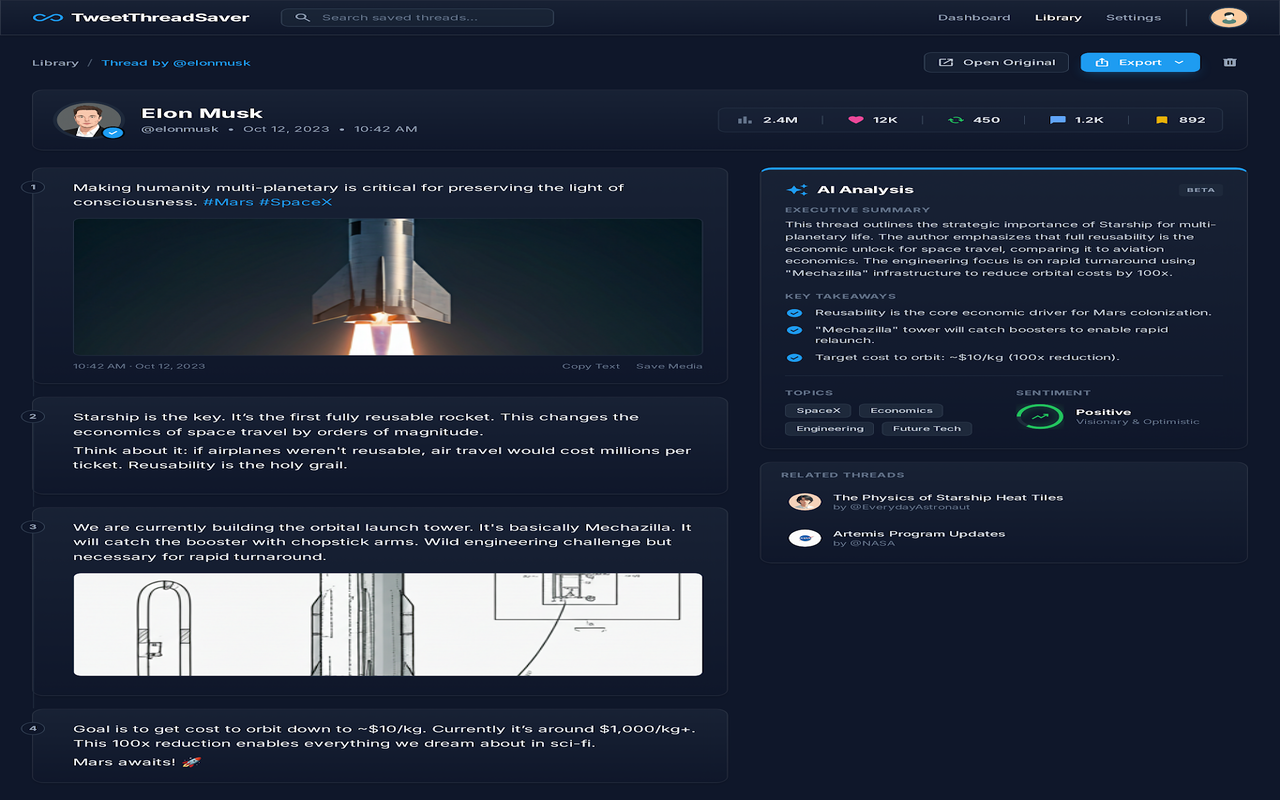
One-click saving, AI summaries, and offline access. Build your personal knowledge base directly from X (formerly Twitter).

auto_awesome
bookmark

Trusted by 5,000+ power users

brand_awareness Product Hunt
extension Chrome Web Store

Everything you need to
master your feed

Powerful tools to capture, organize, and analyze content directly from your browser.

download

One-Click Save

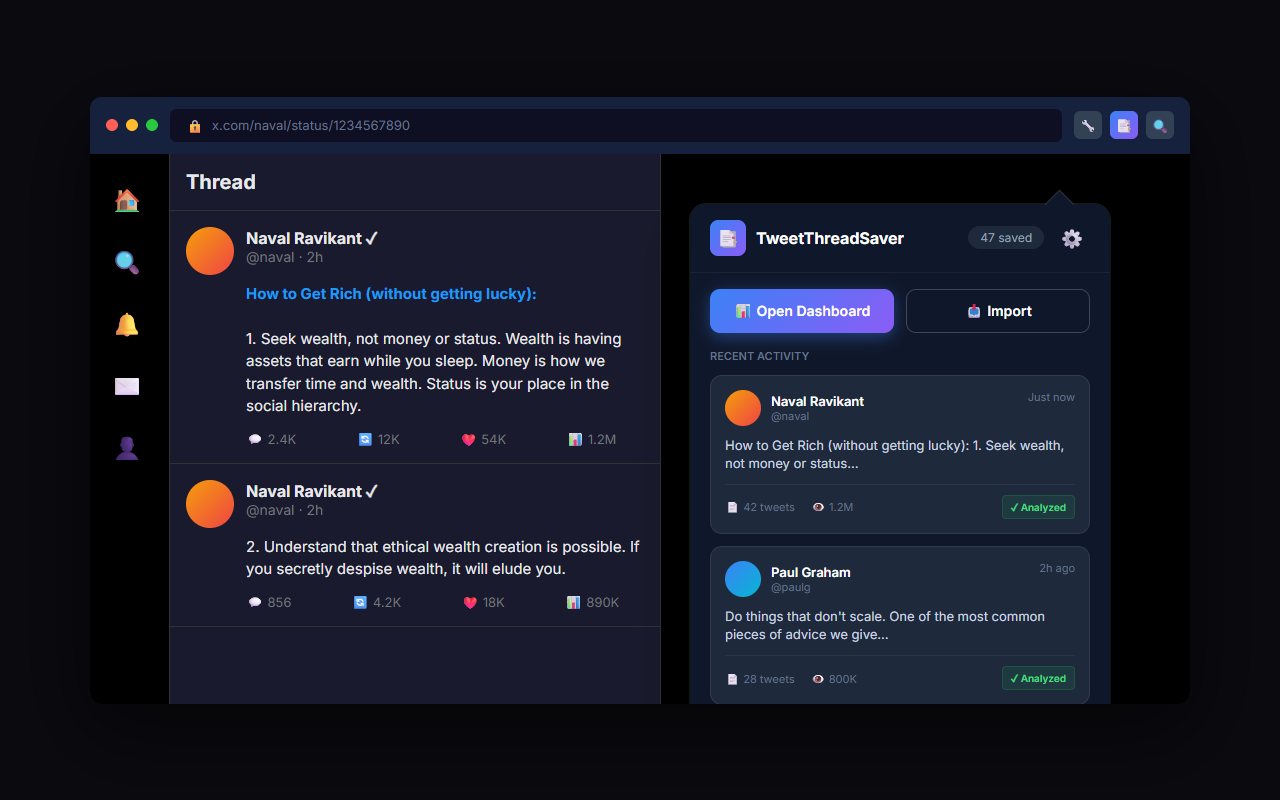
Save entire threads instantly without leaving Twitter. No more mentions or waiting for bots.

psychology

AI Analysis

Get instant summaries and key takeaways. Choose your AI provider: DeepSeek, OpenAI, or Gemini.

search

Smart Search

Find any tweet in your library with semantic search. "Show me threads about marketing" actually works.

output

Export to NotebookLM

Seamlessly move data to your favorite tools. Export to Markdown, PDF, or directly to NotebookLM.

no_accounts

No Account Needed

Start using immediately with local storage. Your data stays on your device unless you choose to sync.

wifi_off

Offline Access

Access your saved library even without internet. Perfect for reading on flights or commutes.

For Marketers

Build the Ultimate Swipe File

Stop taking messy screenshots. Save viral threads, copywriting examples, and marketing strategies into organized collections. Tag them by topic and find inspiration instantly when you need to write.

  • check_circle Save ad creatives & copy structures
  • check_circle Analyze viral hooks with AI
For Developers

Your Code Snippet Library

Twitter is full of gold nuggets for devs. Save tips, libraries, and code snippets directly from your feed. Export them to Markdown to keep in your personal Obsidian vault or Notion workspace.

  • check_circle Preserve code formatting & syntax
  • check_circle One-click export to Markdown

How it works

extension
1

Install Extension

Add to Chrome in seconds. Pin it to your toolbar for easy access.

explore
2

Browse X / Twitter

Find a thread you love. You'll see a new "Save Thread" button on every tweet.

bookmark_added
3

Save & Analyze

Click save. The AI instantly summarizes it and adds it to your library.

savings

Free Forever

No credit card required. Start building your library today.

  • check Unlimited Thread Saves
  • check AI Summaries (BYO API Key)
  • check Offline Access
  • check Export to PDF & Markdown
Get Started for Free

Loved by creators

Alex Chen verified
@alexc_dev
flutter_dash

My bookmarks folder was a graveyard until I found TweetThreadSaver. The AI summaries are a game changer for finding that one specific tip I saw 3 weeks ago.

10:42 AM - Oct 12, 2024
Sarah Miller verified
@sarahm_mktg
flutter_dash

I use this every single day. Being able to export thread content directly into Notion for my newsletter research is invaluable. Saves me hours of copy-pasting.

2:15 PM - Nov 03, 2024
David Park verified
@dpark_design
flutter_dash

Finally, a way to actually SEARCH my saved tweets. The semantic search is scary good. It found a thread about Figma plugins even though I didn't remember the exact keywords.

9:30 AM - Dec 15, 2024

Frequently Asked Questions

Does it work on private accounts? expand_more
Yes, as long as you follow the private account and can view the tweets in your browser, TweetThreadSaver can capture and save them to your local library.
Is my data private? expand_more
Absolutely. By default, all data is stored locally in your browser. We do not have access to your saved threads unless you choose to use cloud sync features in the future.
Which AI model do you use? expand_more
You can choose your preferred AI provider in Settings: DeepSeek (most affordable), OpenAI (GPT-4), or Google Gemini. All generate concise, accurate summaries. You'll need your own API key from your chosen provider.
How do I export to Notion? expand_more
You can export any saved thread as Markdown with a single click. Simply copy the Markdown and paste it directly into a Notion page, and it will retain formatting.

Start Building Your Twitter
Knowledge Base Today

Version 1.0 - Updated this week